Set up an AI task once. Your whole team gets it right.
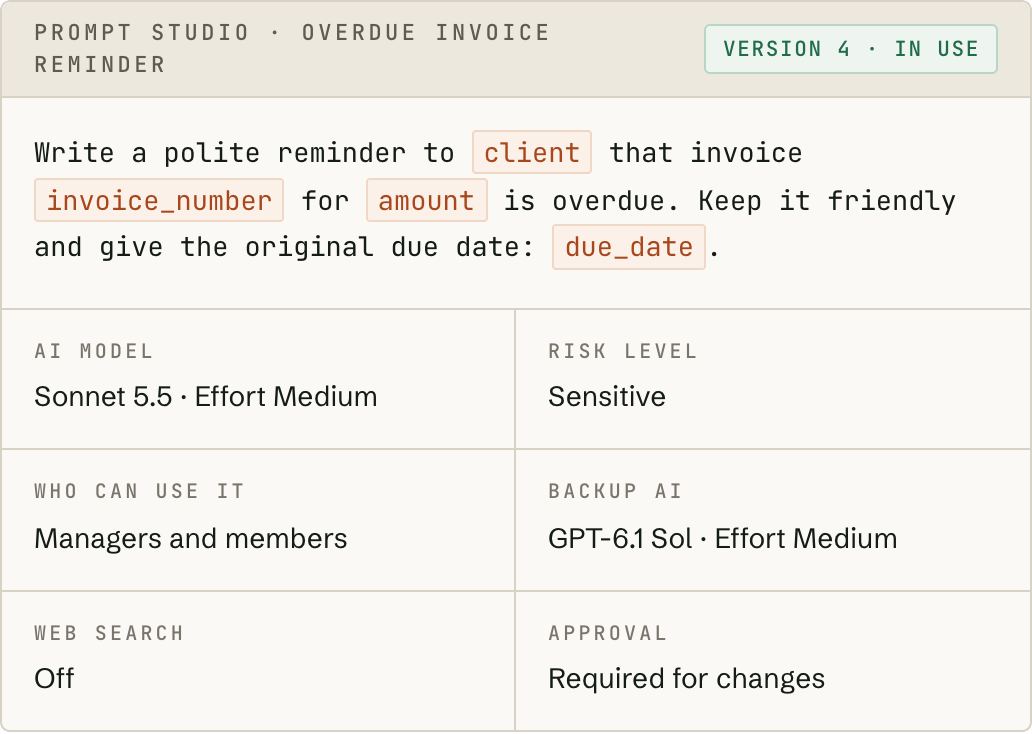
In Fortrius AI, routine work becomes a reusable AI task: instructions for AI with blanks for the details that change. The person who knows the work best sets it up once; everyone else picks it from a list, fills in a short form and gets a consistent answer, with your safeguards applied automatically.
Your best way of doing a task, made everyone’s.
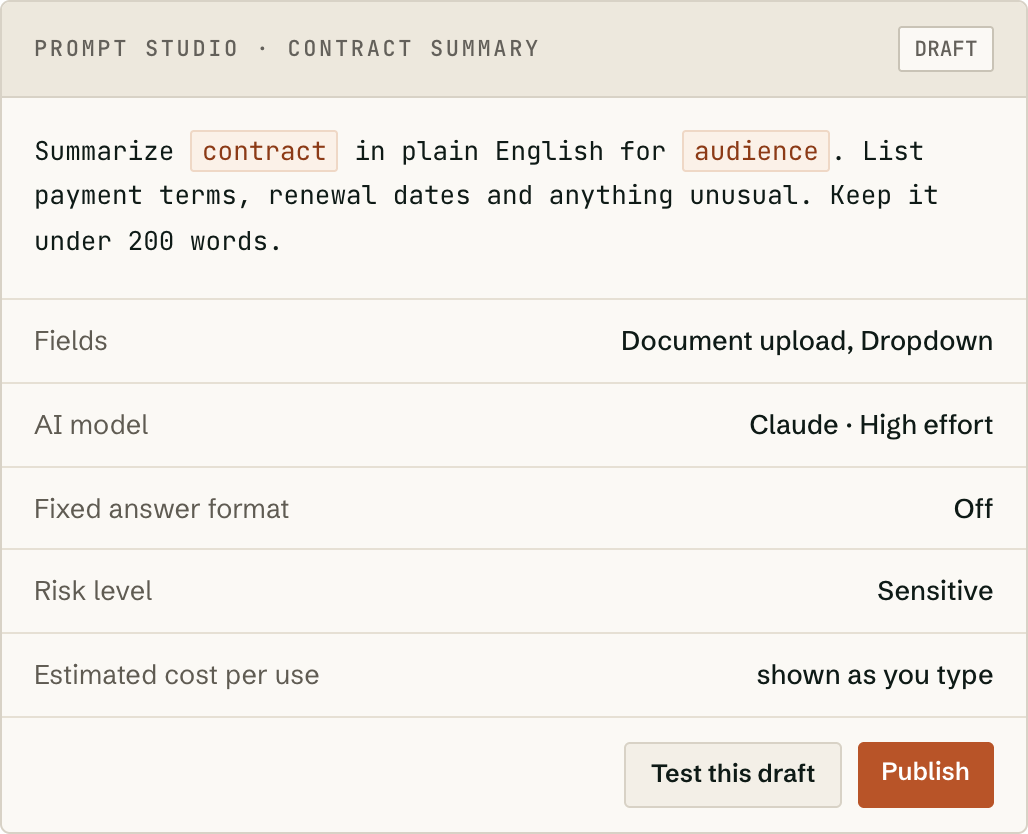
Write the instructions as you’d brief a capable new colleague and mark the parts that change. Each becomes a form field: short text, long text, a dropdown, a number, a date or a document. Mistakes like a missing date are caught before anything is sent.
- —Choose which AI to use and how hard it works, and see an estimated cost per use as you write.
- —Try it for real before anyone else can use it.
- —Optionally get answers back in a fixed format, ready for a spreadsheet.
- —Decide who can use it. Everyone else never sees it, even with a direct link.
Real work done on the first try.
Keep the conversation going
Ask for it shorter, more formal or with one more detail; the AI remembers the whole conversation.
Bring your documents
PDFs, Word, Excel, PowerPoint and images. Attach once and they stay available for every reply.
Get files back
Ask for a Word document, a spreadsheet, a presentation or a PDF, and download it.
Research the live web
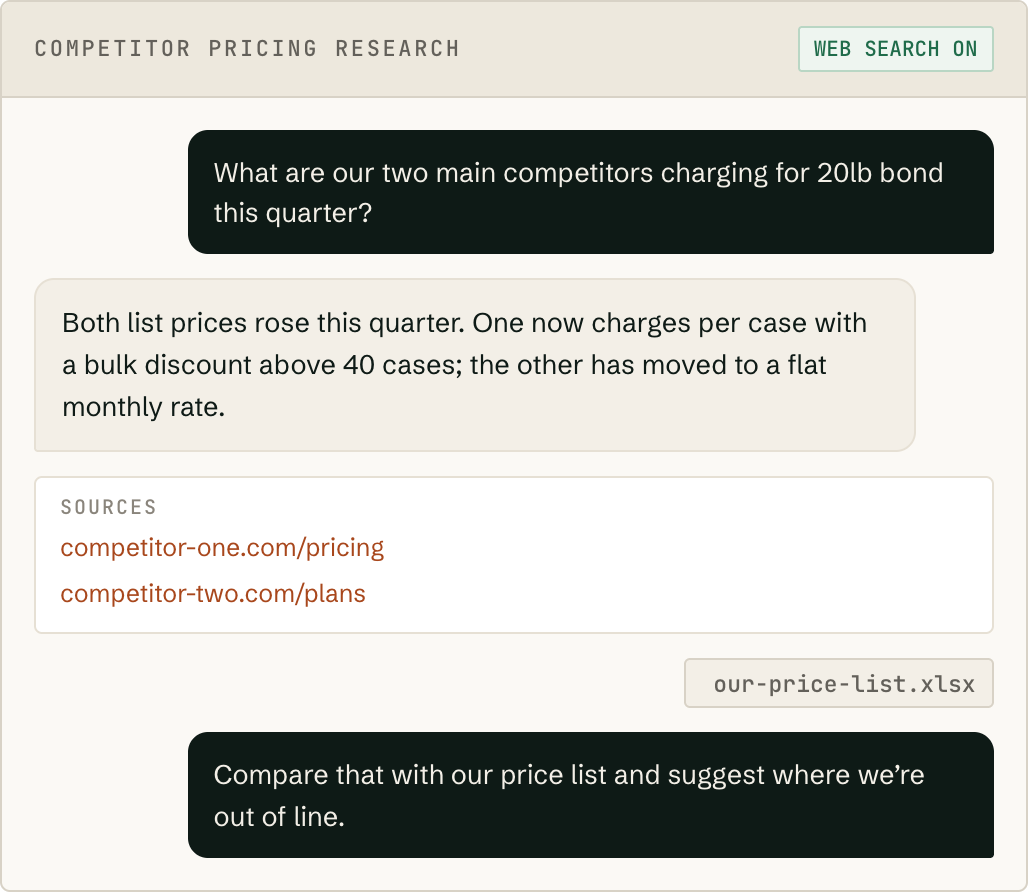
With Claude, the AI looks things up and lists every page it used, so you can check them.
Use the answer
Copy it, export it, or stop it part-way and keep what’s there.
Connect your tools
Connect Google Drive, Slack and your CRM (HubSpot or Salesforce), so tasks can use the files and records your team already keeps there.
Or just ask, like any AI chat app.
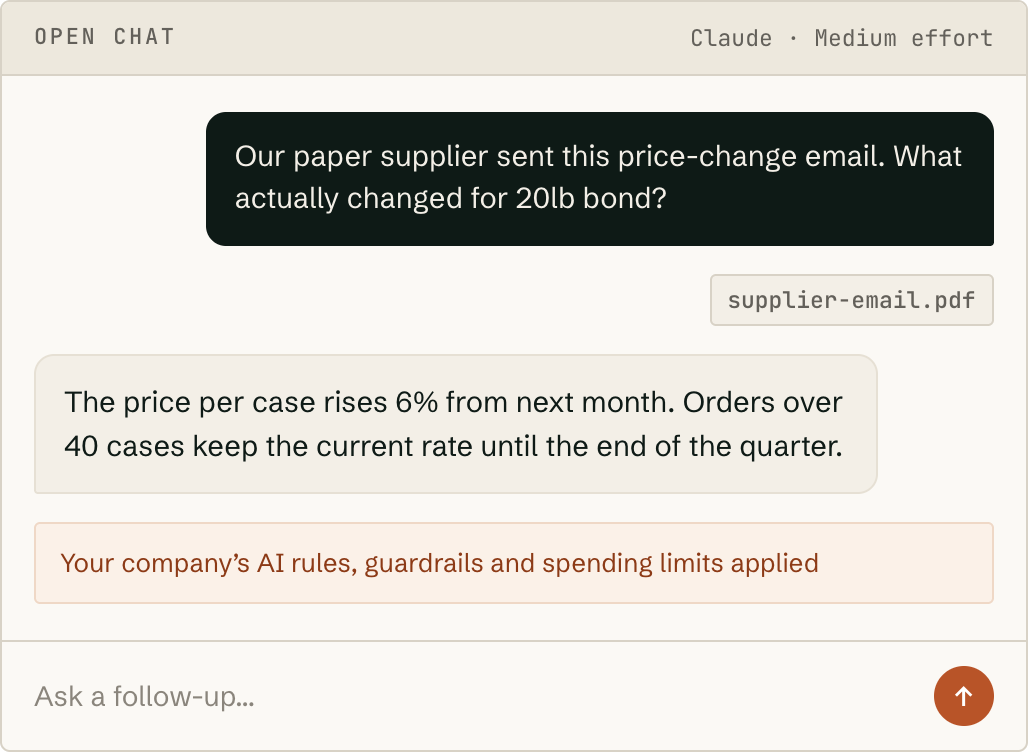
Not every job fits a ready-made task. Open chat lets people type any question, attach a file and keep the conversation going, under the same company rules, guardrails, spending limits and records as every other request. Owners and admins have it from day one; switch it on for anyone else who needs it.
Start from tasks built for your industry.
Install a ready-made pack of tasks for your industry in one click, choose who can use each task, and adjust any of them to your business’s way of working. Nothing reaches your team until an admin installs it.
See solutions by team →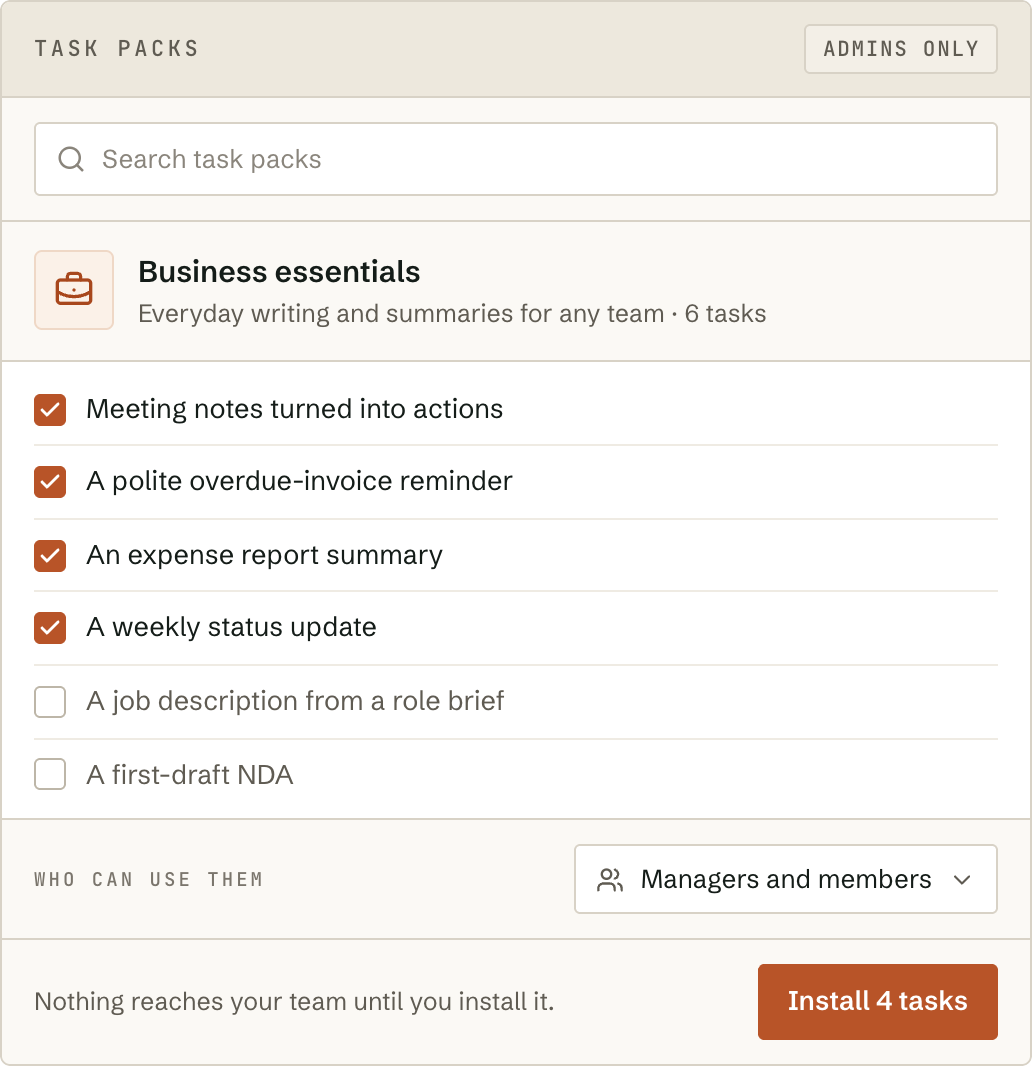
Change a task your team relies on without holding your breath.
Every change becomes a new numbered version, saved with who made it. Compare it with the one before, see exactly what changed, and go back to a version you trust in seconds. Riskier tasks wait for a second person’s approval before anyone can use the new version.
The version your team uses now.
The one before. Switch back in seconds; nothing is deleted.
Waiting for a second person. The current version keeps working.
Still being written. Only its author can use it.
Claude and ChatGPT, on your own accounts.
Fortrius AI works with Anthropic’s Claude models (Opus, Sonnet and Haiku) and OpenAI’s GPT models, including each provider’s latest. Connect your own account with one or both, so they bill you directly. Each task can name an optional backup from the other AI provider, used automatically if the first is unavailable, and you’re warned before an AI model you rely on is retired.
See where the budget went.
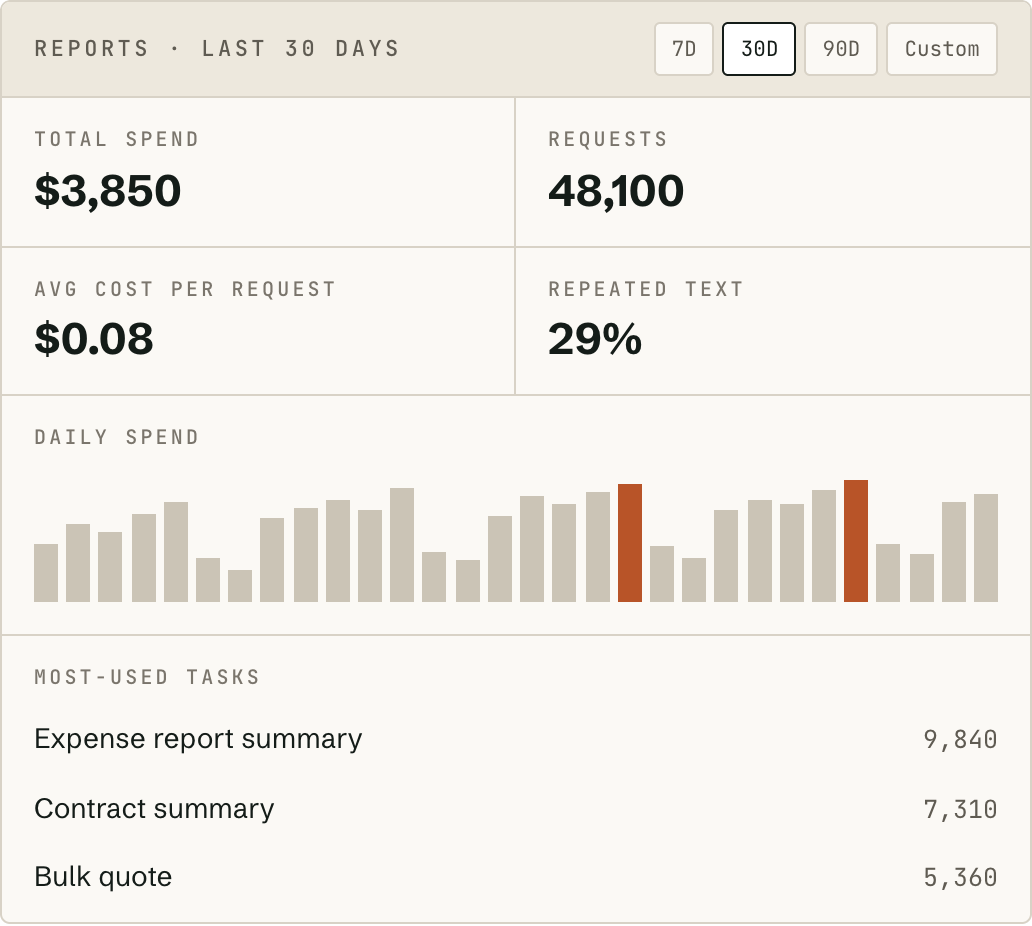
Total spending, number of requests and average cost per request over the last 7, 30 or 90 days, plus the tasks your team uses most, what each person spent, and each team’s spending against its limit. Limits keep spending under control; reports show where it went.