

Safeguards on every request. Your data stays yours.
The rules and checks that keep your business’s AI use safe, accountable and within budget apply to everyone, on every request, and nobody can switch them off for themselves. Your requests go to Anthropic or OpenAI under your business’s own account, and your data is walled off from every other business’s.
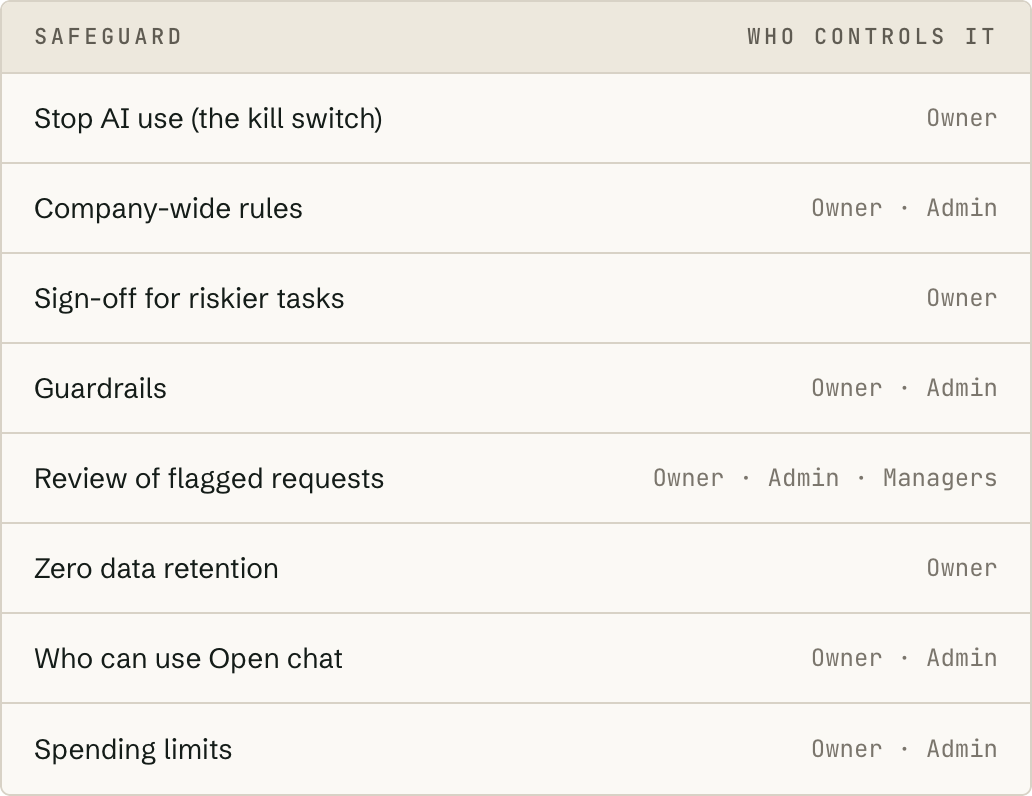
Stop, now. Work out why afterwards.
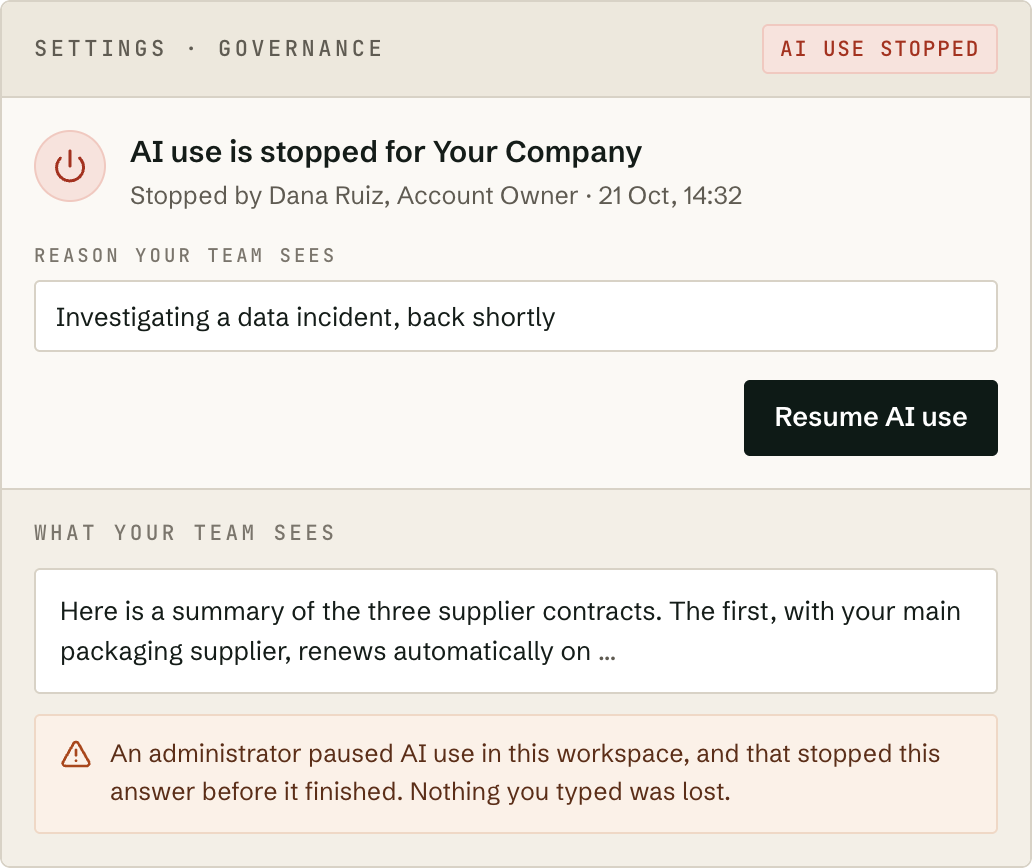
Someone pastes a customer list into AI, or a supplier reports a breach. One click from the account owner and nobody in your business can send anything to AI, including answers still being written and the automatic checks that would otherwise contact your AI provider. If the system can’t confirm whether AI use is paused, it assumes it is.
Your AI policy, applied to every request.
Write your house rules once, such as tone of voice, things the AI must never promise, and how to refer to your business, and they’re added to every request automatically.
- —Edit as a draft and apply when ready; every version is kept.
- —Require a second person to approve any change.
- —If a task conflicts with the rules, its author is told what to fix before it can be published, without seeing the rules.
Scrutiny where it matters, not everywhere.
Every task carries a risk level. You choose which levels need a second person’s approval before your team can use them: none, all, Sensitive and above, or Critical only.
Unless you’ve chosen none, lowering a task’s risk level needs approval too. A second person approves, and their name is recorded. If you’re the only owner or admin, you can approve your own tasks.
A smoke detector you place yourself.
Guardrails are automatic checks on what your team sends to AI, what comes back, and the files people attach. You decide what they look for and what happens: raise a flag for review, block the request, or hold the answer until someone has checked it. Apply them across the business or to one task. Start with the ready-made checks below, switch on the ones you need, and create new guardrails easily whenever your needs change.
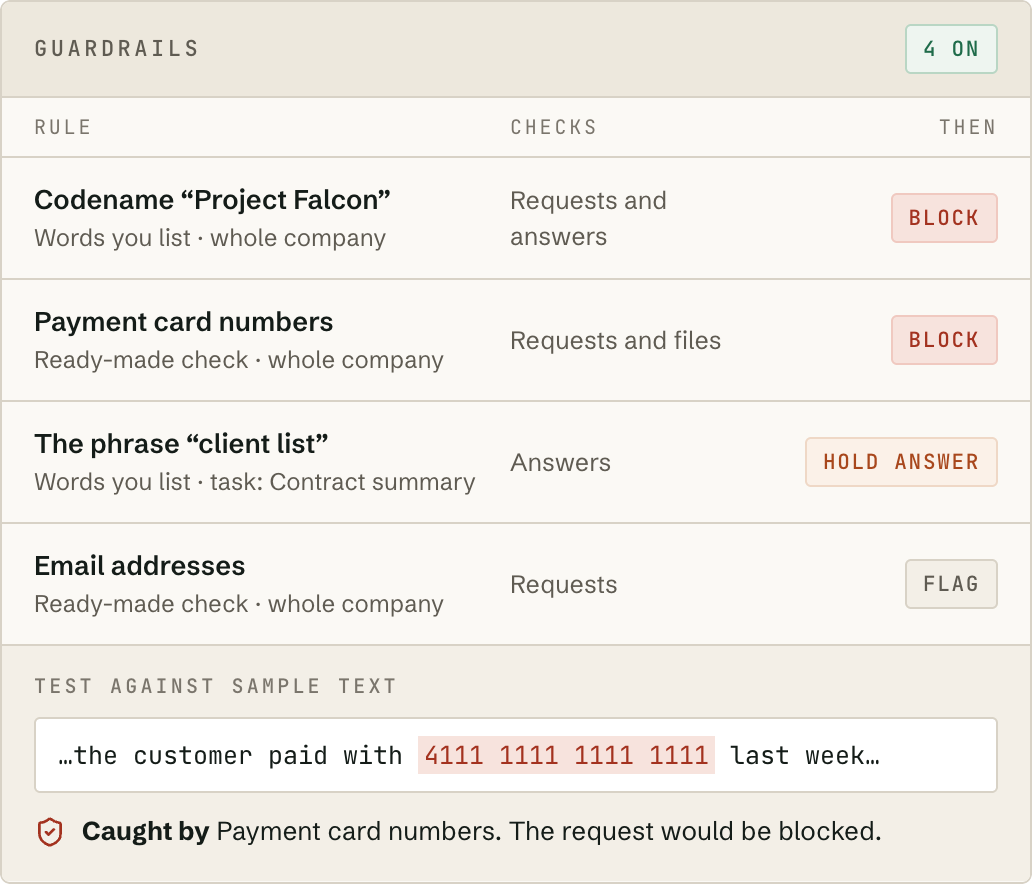
Words and phrases you list
Project codenames, client names, phrases nobody should use. Caught even with odd capitals, look-alike letters or hidden characters.
Ready-made checks
Test any rule against sample text before you turn it on.
A second opinion before anyone relies on an answer.
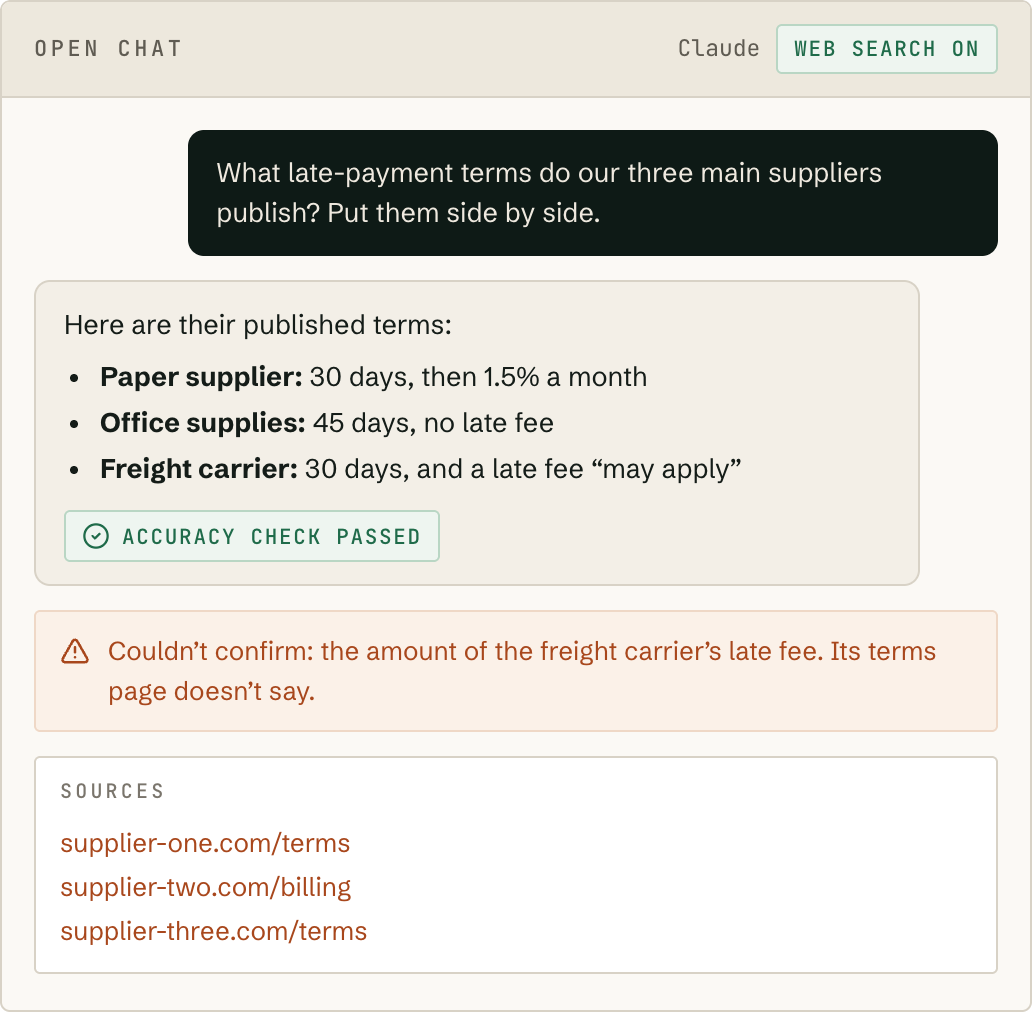
AI can state something false with complete confidence, and a made-up figure or date looks just as convincing as a real one. Turn on the accuracy check and a second AI model, set up to catch false claims, double-checks every answer before it reaches your team, so you can be confident in the results.
- —Mistakes fixed before they arrive. Your team gets the corrected answer, marked “Accuracy check passed”.
- —Honest when it can’t be sure. If something can’t be confirmed, the answer says so rather than guessing.
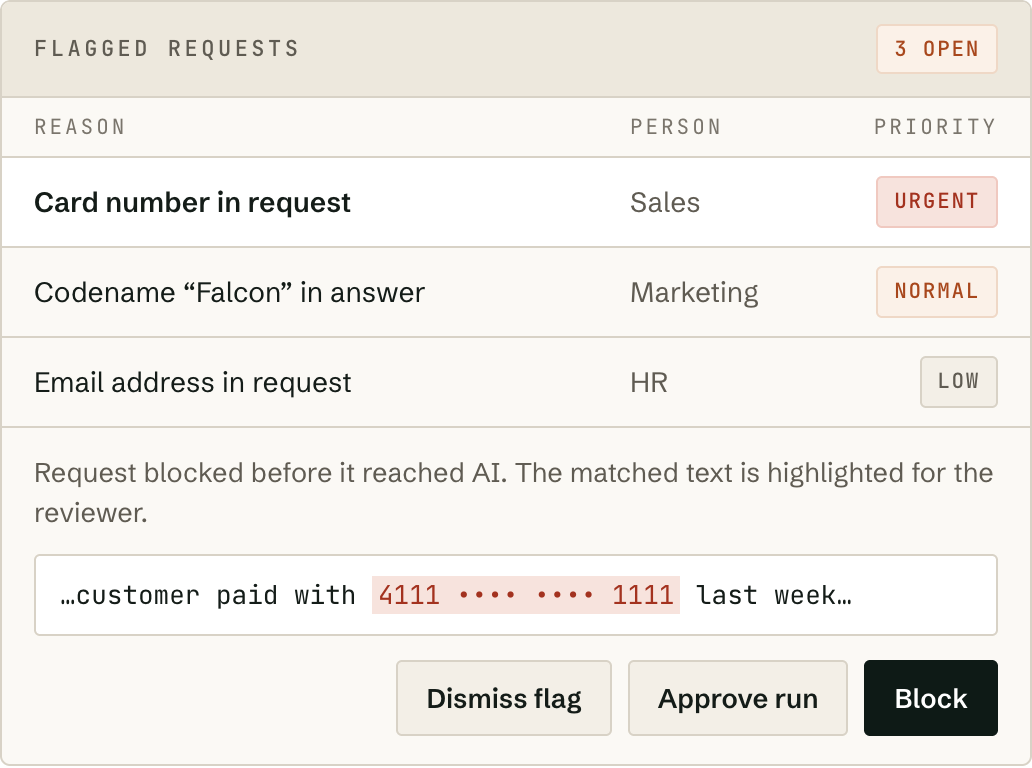
A caught problem becomes a decision with a name on it.
Every flag goes to the right reviewer: managers see their own team’s, admins see everyone’s. A held answer can only be released from here, and each decision is saved with the reviewer’s name and the date.
- —Escalate a flag or ask for a second reviewer when one person shouldn’t decide alone.
- —See signs of rushed reviewing, so approvals don’t become rubber stamps.
- —A flag’s priority is fixed when it’s raised; later rule changes can’t rewrite history.
A record that was never kept can’t leak.
For privileged legal files, employee records or unreleased financials, switch it on and Fortrius AI keeps no copy of what’s sent to AI or what comes back. Spending is still counted, so limits still work.
- The cost of every request
- Spending limits, still enforced
- A note that a guardrail fired
- The audit log
- Saved history
- Follow-up questions
- Web search
- File creation
- Request-by-request detail in reports
A record nobody can quietly shrink.
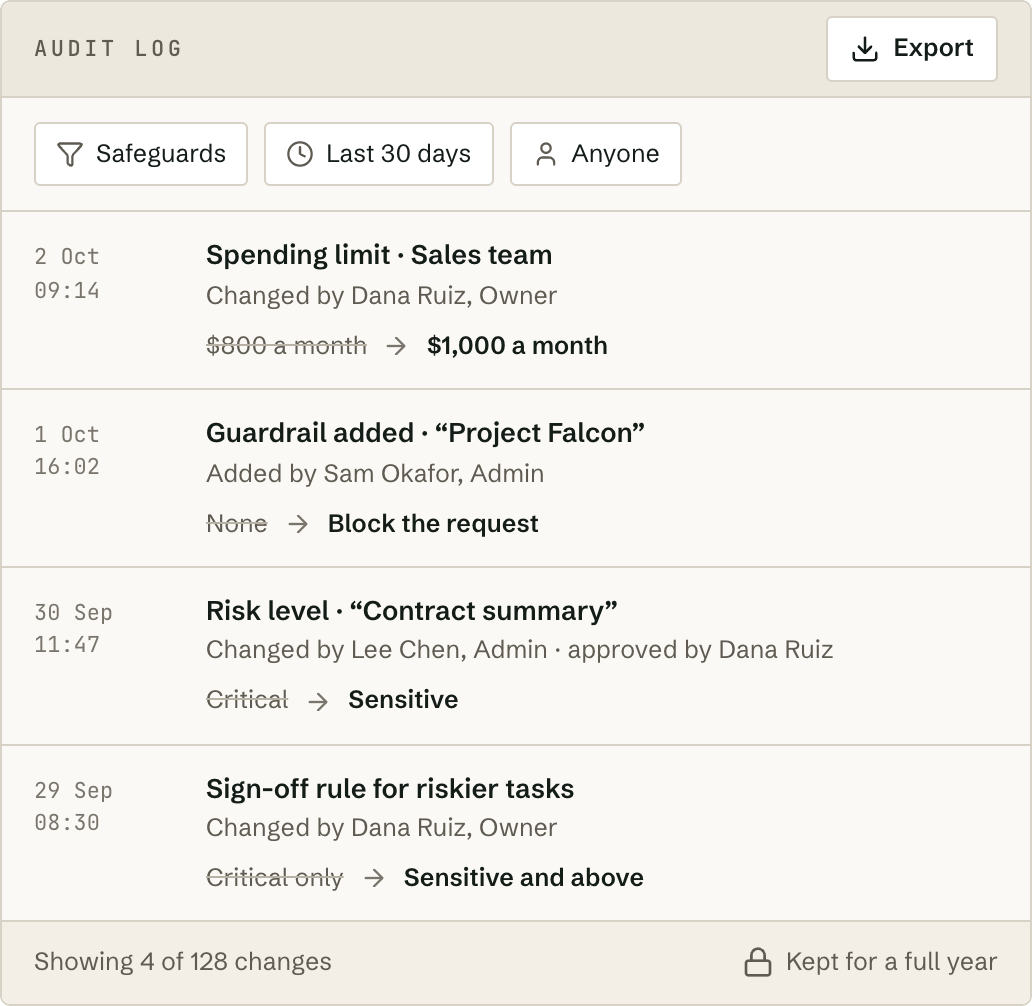
Every change to a safeguard is logged: who, what, when, and what it was before. View it, filter it and export it for your auditor, or produce a governance report for your board. It’s kept for a full year, twice the six months the EU AI Act asks of you. If someone deletes a conversation, it leaves their list, but the record of the request and its cost remains.
A ceiling at every level of the organization.
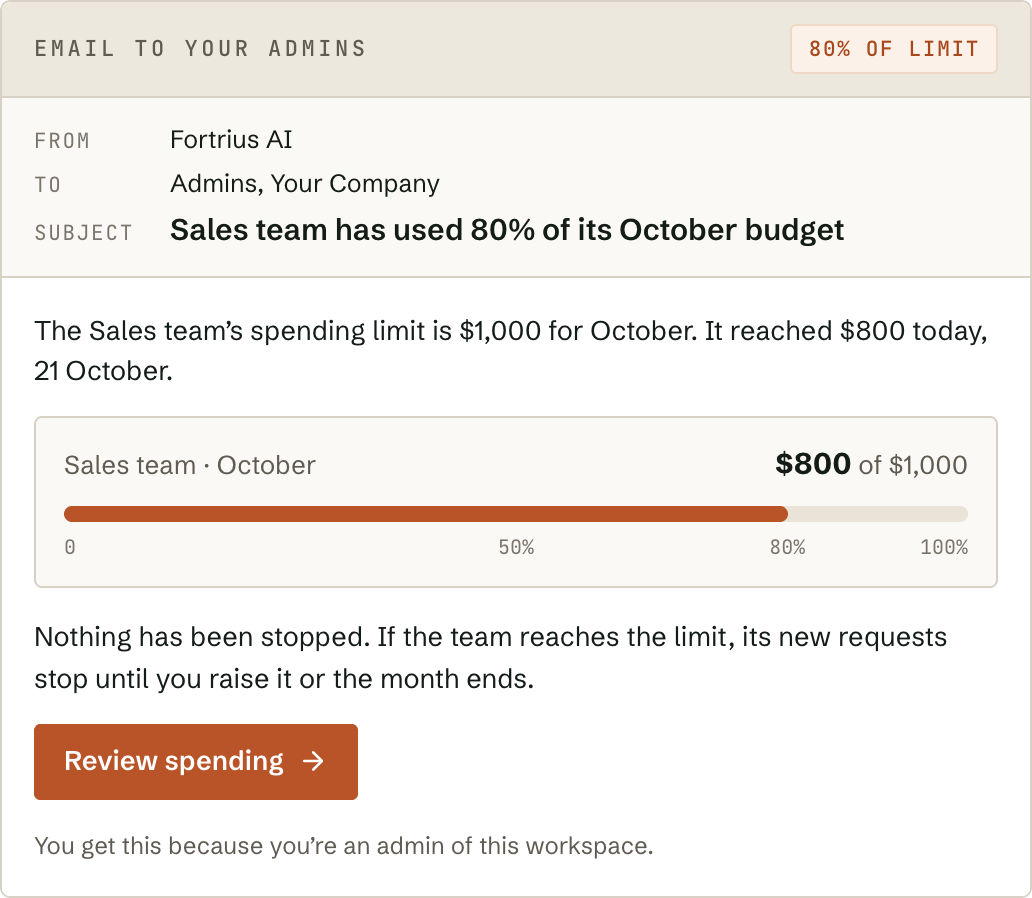
An email to your admins before any limit is reached.
The right people, signed in the right way.
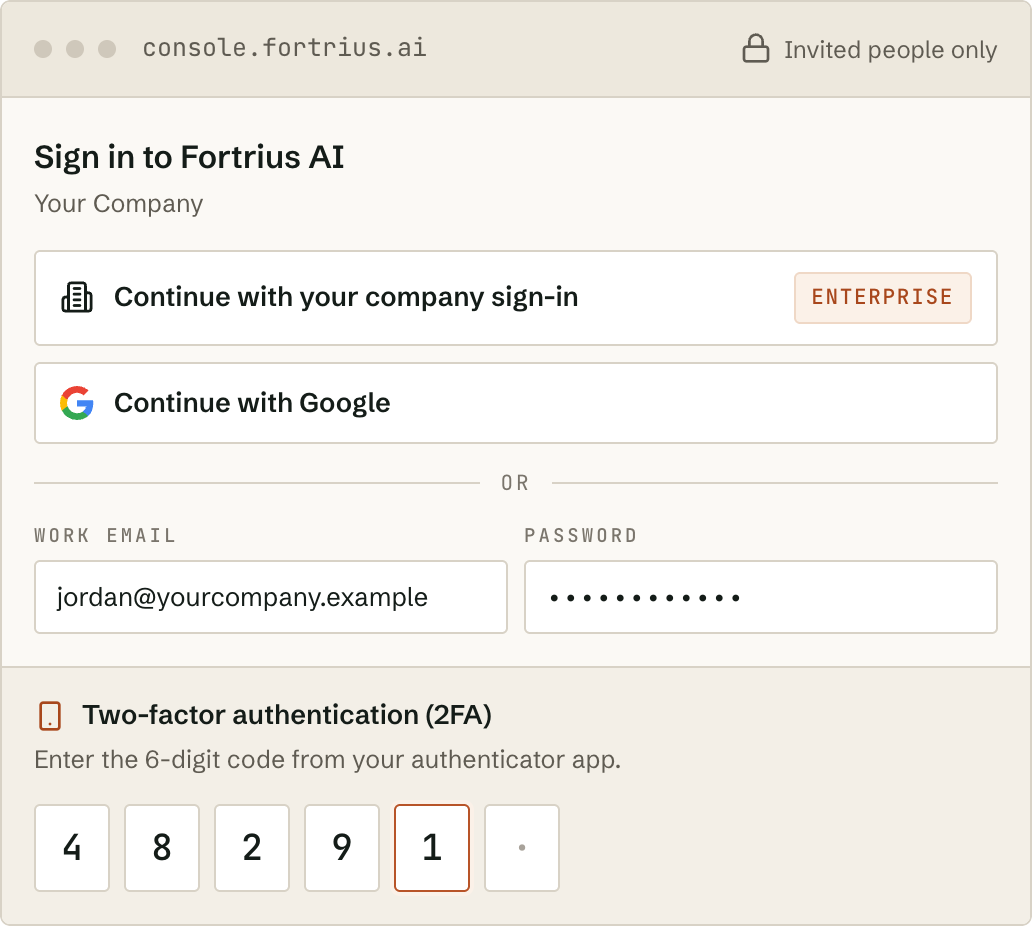
Everyone signs in with Google or a password, with two-factor authentication (2FA) for extra protection. On the Enterprise plan, sign in through your business’s identity provider with single sign-on (SSO), and people are added and removed automatically when they join or leave your business. Only people you invite, or your identity provider adds, can get in.
Keep your past work, or keep no copy at all.
Requests and answers are kept so people can find past work, unless you switch on zero data retention. The cost of each request is always counted, so limits work. The audit log is kept for a full year, for your regulators and auditors.
Your data, your accounts, your record.
Walled off
Your tasks, requests and records are separated from every other business’s at the deepest level of the system.
Your own AI accounts
Requests go to Anthropic or OpenAI under your business’s own account and terms. Fortrius AI doesn’t train AI models, and Anthropic’s and OpenAI’s business terms don’t let them train on what you send unless you choose to.
Shared links stay private
Sharing a link to a conversation or a task never lets anyone open it unless they’re signed in to your business’s account and allowed to see it.
Your work is never held hostage
If an account is paused over a billing question, everyone can still sign in and see their past work.
Encrypted
Encrypted whenever it travels over the internet, and wherever it’s stored.
Send us the questionnaire.
Vetting Fortrius AI as a supplier? Send your security questionnaire to security@fortrius.ai and we’ll show how each requirement is met.
Email security@fortrius.ai →